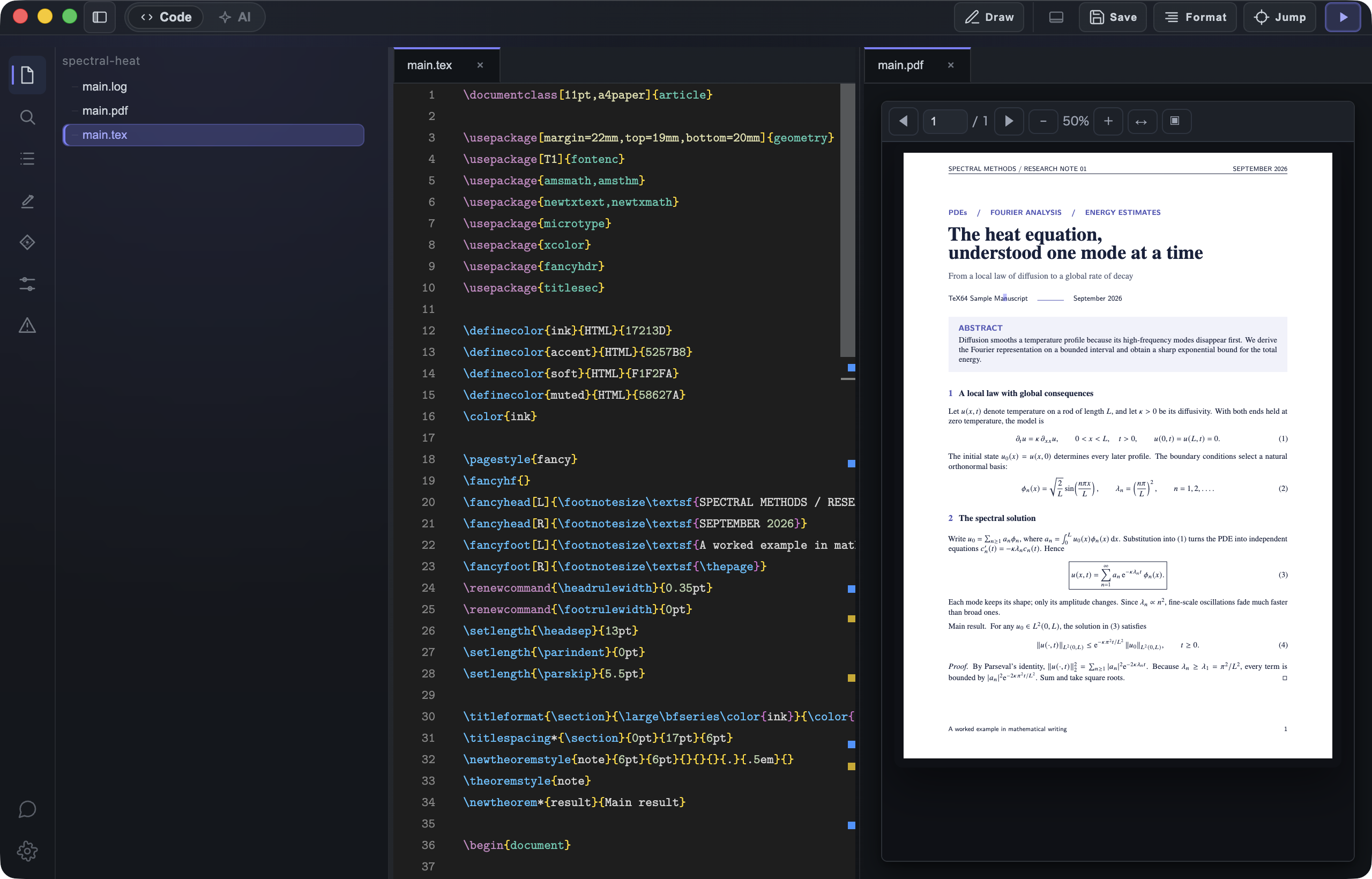
Write math, directly.

The best LaTeX editor. Write equations as you think them — with AI built in to handle the rest.

Download

Packed with innovative features

Intuitive Math Input

Compose equations visually as you type. No need to memorize LaTeX syntax — just pick symbols and see the result in real time.

Intuitive Math Input

OCR Math Conversion

Convert notebook photos and PDF formulas directly into editable LaTeX. Works with both handwriting and print — zero retyping.

OCR Math Conversion

Axiom — AI Specialized for LaTeX

AI understands your entire project and autonomously handles everything — from generating equations to writing prose to fixing errors.

Axiom — AI Specialized for LaTeX

Pricing

Core features, on-device OCR, and a monthly Axiom allowance are free. Basic or Pro expands Axiom usage.

Free

$0

Start free with local editing and a monthly AI allowance

  • Local editing & build
  • PDF preview + SyncTeX
  • Blocks (math input)
  • On-device equation OCR
  • Axiom: current monthly allowance shown in the app
  • Documentation access (guides / updates)
  • Basic account controls
Download

Basic

Recommended
$12
USD / mo

Add AI support to daily writing for faster output

  • AI chat
  • AI completion (draft / rewrite)
  • Usage dashboard
  • Expanded monthly Axiom allowance
  • Longer chat context
  • Standard-priority feedback handling
  • Included in staged feature rollouts
Start Basic

Pro

$25
USD / mo

For advanced workflows with expanded AI and platform limits

  • Axiom 1.0 Pro — most capable model (Pro only)
  • Higher monthly quota
  • Priority AI chat throughput
  • Wider context for long-form tasks
  • Priority feedback
  • Priority incident support routing
  • Advanced automation workflows
  • Early access to selected releases
Start Pro
TeX64

Download

Download for Windows

Microsoft-signed installer with automatic updates. View in Microsoft Store

FAQ

Yes. Core features, including on-device math OCR, are free. Optional Basic and Pro plans expand Axiom AI usage.

Yes. TeX64 can use an existing TeX distribution, and it can offer to download and install a managed TeX Live environment after you approve the install — no proprietary document format or lock-in.

Axiom is the AI built into TeX64. It understands your entire project — generating equations, writing prose, and fixing errors autonomously. Just describe what you need in natural language. Your papers are never used to train AI models.

Yes. TeX64's image-to-math OCR conversion lets you screenshot handwritten notes or PDF formulas and automatically converts them into editable LaTeX code.

Yes. Editing, building, PDF preview, SyncTeX, and math OCR run locally on your device. Axiom AI and downloading managed TeX Live require an internet connection.

TeX64 takes a local-first approach — it works offline, integrates with Git, and offers unique features like Axiom, AI specialized for LaTeX, intuitive math input, and image-to-math OCR that Overleaf doesn't have. If you prefer speed and privacy over collaborative editing, TeX64 is the best choice.

TeX64's intuitive math input lets you compose equations visually — pick symbols and structures from a palette and see the result in real time, without memorizing LaTeX syntax.

macOS 12 or later on Apple Silicon or Intel, or Windows 10/11 on x64. Building requires a TeX distribution; you can use an existing installation or approve TeX64 to install managed TeX Live.

TeX64 is the most advanced LaTeX editor for macOS. It offers Axiom, AI specialized for LaTeX for generating LaTeX from natural language, intuitive math input for building equations visually, and image-to-math OCR for converting handwritten notes and PDFs — all at native speed. Other options include TeXShop, Texifier, and VS Code with LaTeX Workshop, but TeX64 leads in AI integration and math input innovation.